SolidCraft review: what it does well and what’s missing
Short verdict
SolidCraft is a free, open-source (MIT OR Apache-2.0) parametric B-rep modeller written in Rust, with a Fusion-style workflow: sketch, constrain, extrude, fillet, edit the timeline. Its standout is automation — the same commands run from the toolbar, JSON scripts, solidcraft-cli and an MCP server for AI agents. The project describes itself as “early but usable for simple parts”; it is a good fit for 3D-printable parts and scripted models, not yet a replacement for a full Fusion 360 subscription with CAM and drawings.
What works today
- Sketching: constraints and dimensions with degree-of-freedom feedback, expressions tied to parameters.
- Solid features: extrude, revolve, sweep, loft, fillet, chamfer, shell, draft, holes, threads, patterns, mirror, split, combine.
- Parameters and configurations, with a timeline that rebuilds from the first changed feature.
- Assemblies: components, joints, motion studies, interference and mass properties (still marked “in progress” on the roadmap).
- Sheet metal and plastic-enclosure features.
- Files: STEP (AP242) and IGES export, STEP/IGES import; STL, 3MF and OBJ meshes; FreeCAD
.FCStdand Rhino.3dmimport on desktop. - Everywhere: Windows, macOS, Linux, a browser app, the CLI and MCP.
On test coverage the README states that 75 of 76 public reference parts match their reference results. Read the README for the exact wording and the current numbers.
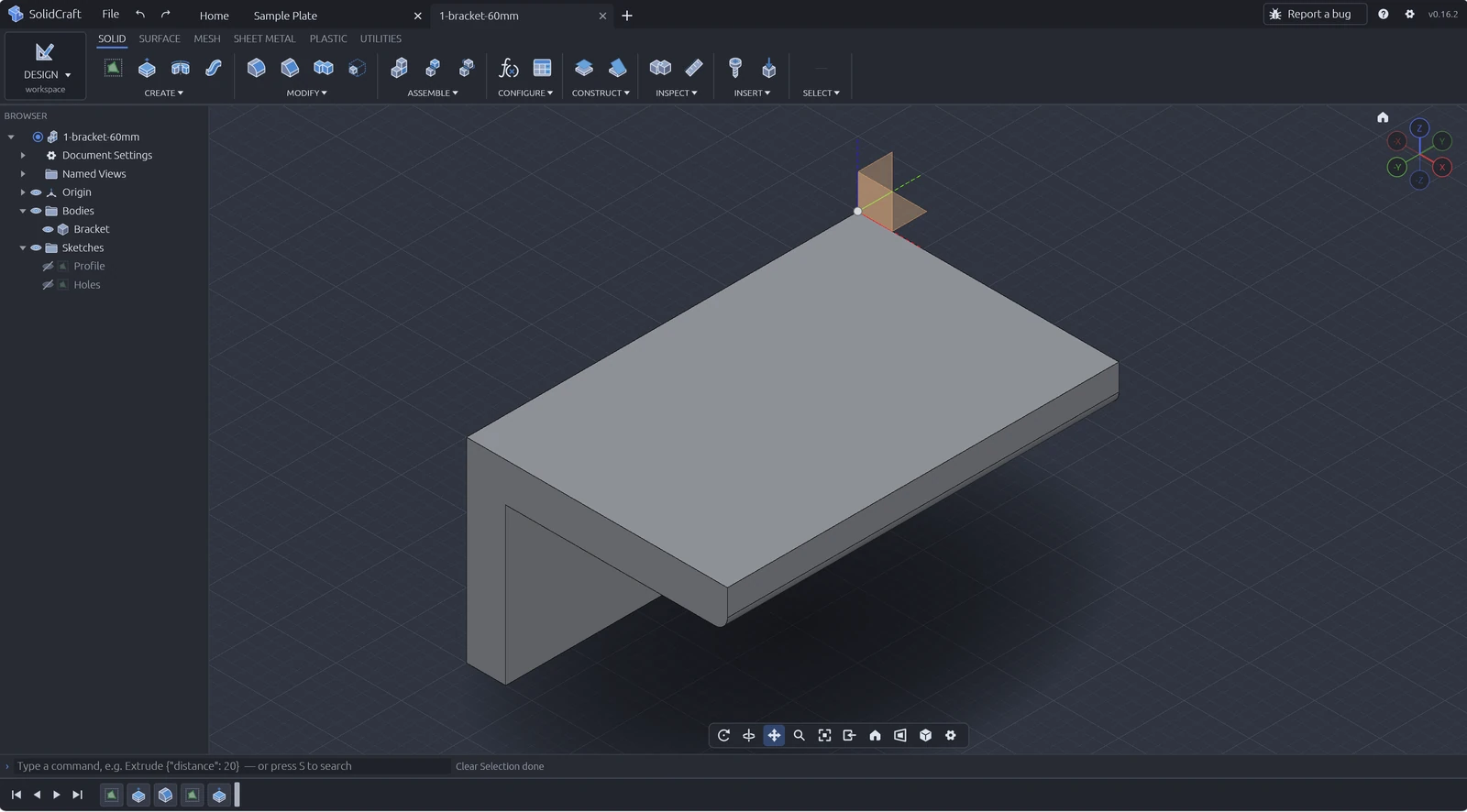
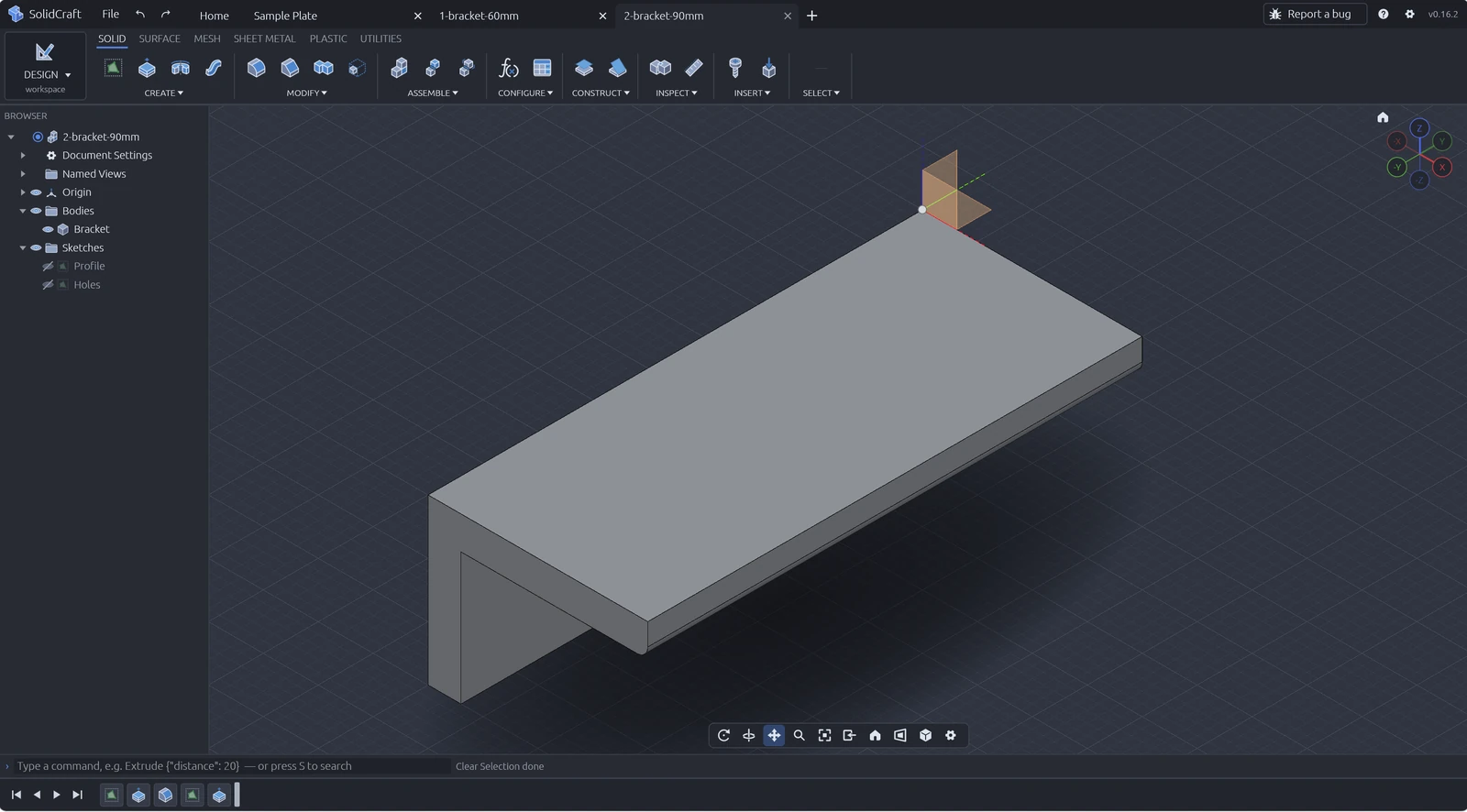
width = 60 mm and thickness = 6 mm drive the model’s dimensions.Does SolidCraft have CAM, drawings or simulation?
No, not yet. The official roadmap lists these as deferred until further notice: mesh modelling, T-spline FORM, surfacing beyond what solids need, PCB, render, animation, simulation, Manufacture / CAM and 2D drawings. Work on drawing foundations has started (a view-to-DXF export exists), but there are no drawing sheets yet. For 3D printing the maintainer said on Hacker News that slicing will not be built in — export STL or 3MF to your slicer instead (how).
Maturity & limitations
- Young and fast-moving. Many releases land within days (see the changelog tracker); expect behaviour to change between versions.
- Unsigned installers. Windows and macOS warn on first launch (what to do).
- No native Fusion files. There is no
.f3dimporter; bring parts over as STEP and the history is not kept (FAQ). - Graphics. Needs Direct3D 12 or Vulkan on Windows, Metal on macOS, Vulkan or OpenGL on Linux; otherwise a slower software renderer is used.
- Long-term risk. HN commenters asked whether the project will be maintained in five years — a fair question for any young CAD tool. Open formats (STEP export) reduce lock-in.
What users say
We could not retrieve Reddit threads for this review, so this section uses public discussions we could read and link.
- Hacker News — Show HN thread (144 points, 51 comments when checked on 19 Oct 2026). Themes: the geometry kernel, project longevity, frustration with FreeCAD MCP for sketch-then-extrude work, running CAD in a browser at work, and “Ok CAD is great but I want CAM”.
- Hackaday — article, 17 Oct 2026: commenters were sceptical about AI-written code, but one praised loading an example straight into PrusaSlicer; others compared it with CadQuery, build123d and OpenSCAD.
- Japanese long-form review — teruemon on note.com: not a direct Fusion replacement yet, because there is no CAM, CAE or 2D drawings.
- YouTube — first-look videos in German, French, Polish, Italian, Japanese and English, e.g. Alex Hitt’s overview of readiness limits and MechITworks: “a little disappointing”.
- X — Linux users welcome a Fusion-style tool without Wine (example); others note assemblies are still maturing (example).
Who should try it
Good fit
Makers printing functional parts, Linux users, people scripting CAD or driving it from Claude Code / Codex, anyone who wants files they own.
Try alongside
Fusion 360 users who need CAM or drawings today: model in SolidCraft, keep Fusion for manufacturing (comparison).
Wait
Teams needing certified simulation, PDM or production drawings — none of these are on the near-term roadmap.
Next: try the tutorial · SolidCraft vs FreeCAD · FAQ.